





Paid Performance Dashboard Template
Stop Reporting on Campaign Performance. Start Acting on It.
The Paid Performance Dashboard Template helps marketing teams track campaign performance, analyze results, and take action without switching tools.
-

Track performance across channels
-
Monitor key metrics in real time
-
Identify trends and issues quickly
-
Turn insights into immediate action

What Paid Performance Monitoring Actually Involves
A paid media dashboard template should do more than show metrics.
Teams must:
-
Monitor performance across platforms
-
Analyze trends and anomalies
-
Identify optimization opportunities
-
Act without delay
Without a structured execution system, dashboards become passive tools.
The Paid Performance Dashboard Template connects visibility with execution, so insights lead to action.
Why Teams Use This Dashboard
Most teams already use a marketing performance dashboard. It just doesn’t drive results.
Performance data is visible. Action is delayed.
This template helps teams:
- Centralize campaign performance data
- Reduce manual reporting
- Identify issues faster
- Act immediately
Instead of pulling reports from multiple platforms, this dashboard connects your data into a single view, so you can see what’s working and take action faster.
Built for the Way Campaigns Actually Run
Campaign performance changes constantly. Budgets shift. Results fluctuate. Opportunities appear quickly.
This dashboard is designed to:
- Monitor performance in real time
- Highlight changes that require action
- Support fast decision-making
- Connect insights directly to execution
Teams running campaigns alongside a paid media workflow system can move even faster.
What’s Included in the Paid Performance Dashboard Template
Cross-Channel Paid Media Performance Tracking
Track performance across:
- Google Ads
- Facebook / Instagram
- Other platforms
Key Metrics Overview
Monitor:
- Spend
- Conversions
- CPA
- ROAS
- CTR
Campaign-Level Insights
Monitor:
- Top-performing campaigns
- Underperforming segments
- Trends over time
Real-Time Data Visibility
Access up-to-date performance without manual reporting.
Built to Solve Paid Performance Challenges
Data is scattered across platforms
You don’t have a single source of truth.
Reporting is manual and slow
By the time reports are ready, performance has already shifted
Insights don’t trigger action
Dashboards show problems but don’t solve them.
Insights don’t trigger action
Dashboards show problems but don’t solve them.
This is the same issue explored in Dashboards Don’t Improve Performance. Coordinated Action Does.
Optimization happens too late
Delays reduce impact.
Example Workflow
Know which models drive engagement:
- Monitor Performance: Review campaign metrics daily.
- Identify Issues: Spot underperforming campaigns.
- Assign Actions: Create and assign optimization tasks.
- Track Results: Measure performance improvements.
No tool switching. No delays between insight and action.
Why This Dashboard Is Different
Most PPC dashboards stop at reporting. Slingshot drives action:
- You don’t switch tools
- You don’t lose context
- You don’t delay decisions
- You see a problem
- You assign it
- You fix it
Who This Template Is For
See high-level AI performance at a glance:
Performance Marketers managing paid media campaigns
Track and optimize campaigns.
Marketing Teams using a campaign performance dashboard
Monitor cross-channel performance.
Marketing Ops
Centralize reporting and insights.
Frequently Asked Questions
A paid media dashboard template helps you track campaign performance across channels in one place. You can monitor metrics like spend, conversions, CPA, ROAS, and CTR without building reports manually.
A campaign performance dashboard should include:
- Spend
- Conversions
- Cost per acquisition (CPA)
- Return on ad spend (ROAS)
- Click-through rate (CTR)
- Performance trends over time
These metrics help you evaluate performance and identify where to optimize.
Most PPC dashboards focus on reporting.
This paid media dashboard template connects performance directly to execution. You can:
- Identify issues
- Assign actions
- Track results
All in the same workflow.
Yes. You can connect data from platforms like Google Ads, Facebook, LinkedIn, and other sources. This lets you centralize reporting without replacing your current tools.
This template is built for:
- Performance marketers managing paid campaigns
- Demand generation teams running multi-channel programs
- Marketing operations teams responsible for reporting and optimization
Daily or weekly, depending on campaign scale.
Yes. You can monitor campaign performance in real time so you can identify issues and act without delay.
This paid media dashboard template helps solve:
- Scattered data across platforms
- Manual, time-consuming reporting
- Delayed campaign optimization
You get one place to track performance and take action.
You can start immediately by connecting your data sources and customizing the dashboard to your campaigns.
This template complements analytics tools by connecting insights to execution.
Boost Team Results with Ready-to-Use Templates
Explore our collection of ready-to-use templates, carefully crafted to cater to the needs of multiple use cases and departments. Save time and effort by trying out the template that suits your workflow best. It only takes a few clicks to get started.
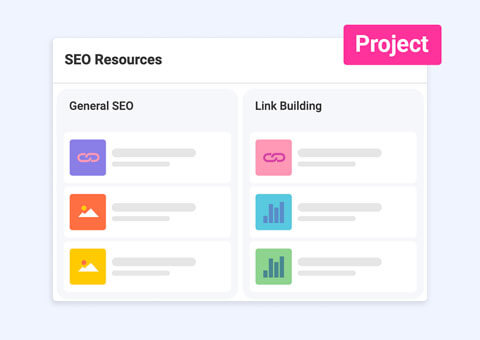
SEO Management
Manage and follow up on your SEO projects with this dashboard and project template.
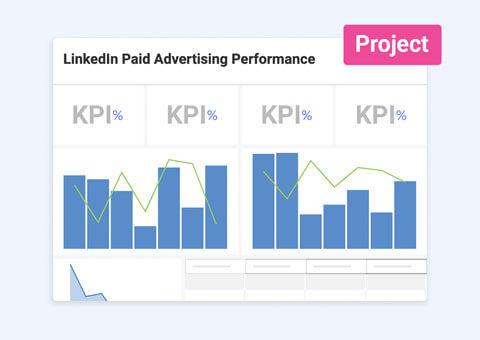
Paid Social Media
Organize effortlessly and manage your paid social media content while tracking performance from all platforms in one view.
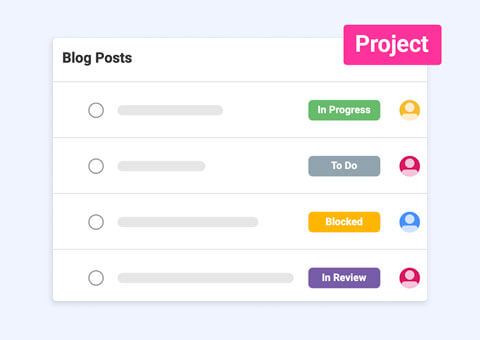
Content Calendar
Build your content calendar tasks and track content performance from a single platform with ease.
Turn Performance Data Into Results
Track performance, identify issues, and act without delay.
Use Template Use Template Use Template