






Slingshot gives you the tools to make decisions, not just document them.
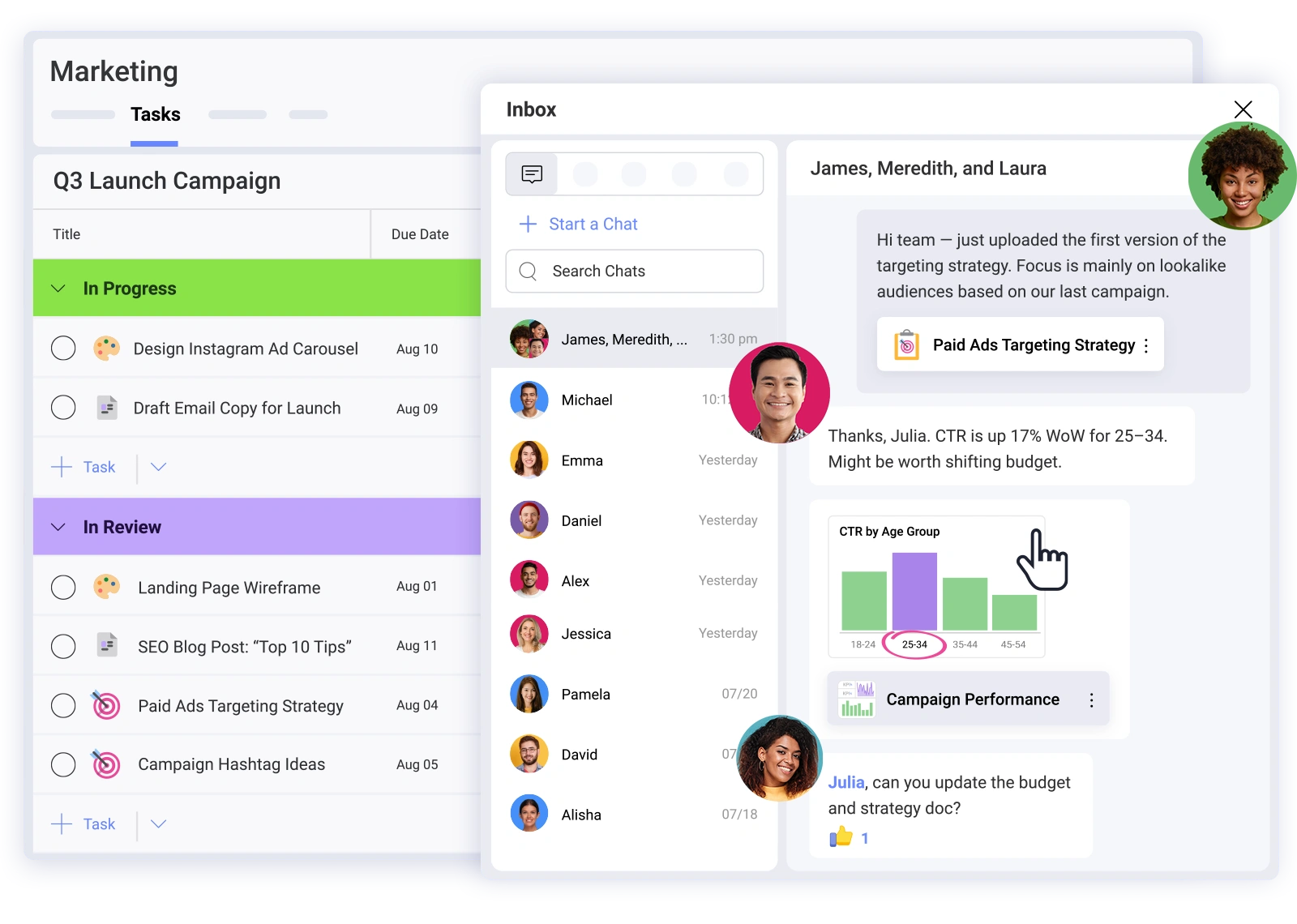







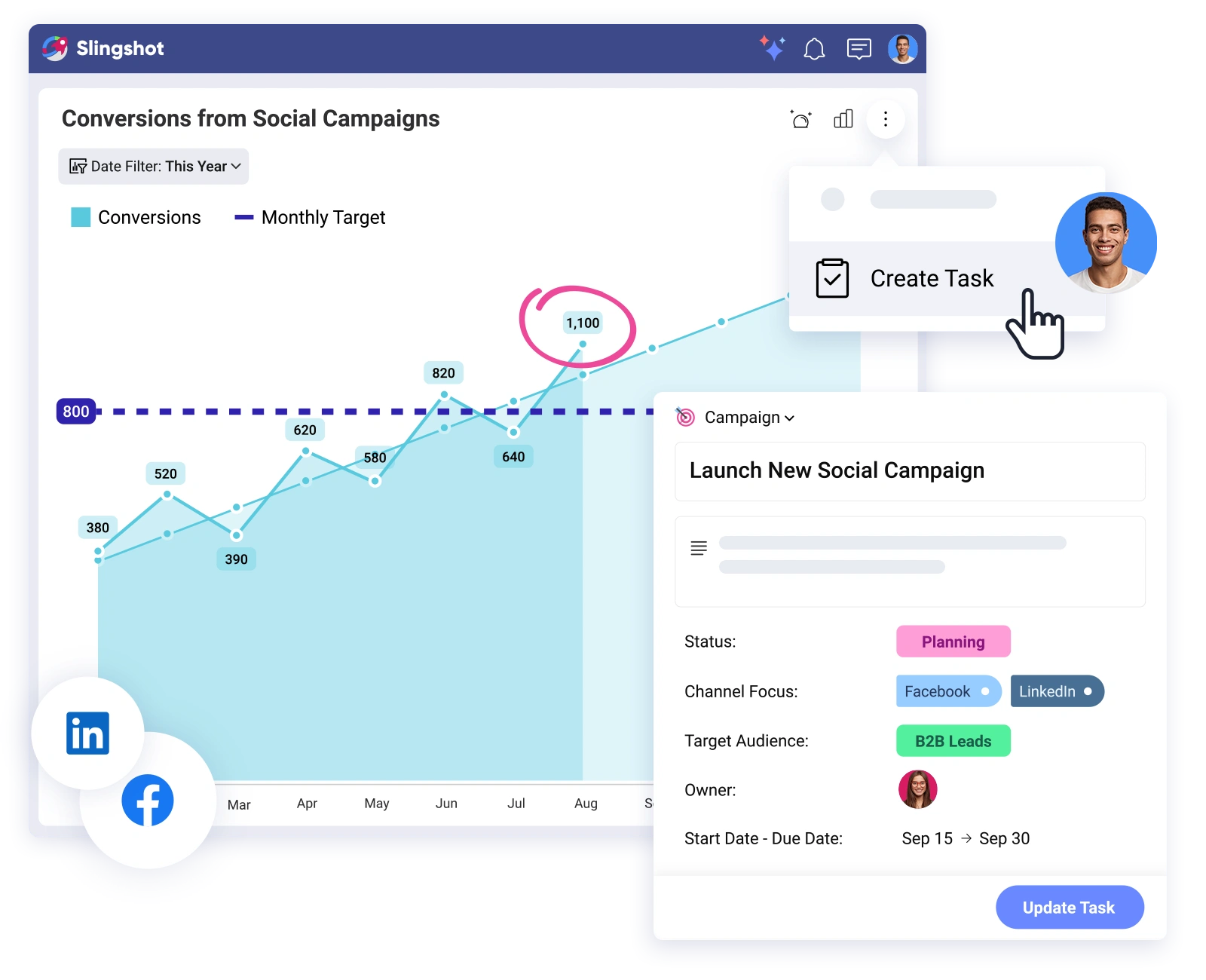
Notion gives you endless customization, but at a cost. Teams lose time building and managing their own systems, chasing data across tools, and hitting performance walls. Slingshot is built for businesses that want project management, collaboration, and business intelligence right out of the box.

No More DIY Setup: Forget lengthy setups and endless template tweaking. Slingshot offers practical workflows that help you get started immediately.
Real-Time Visibility: With Slingshot, dynamic dashboards and AI-powered analytics come standard. No complicated add-ons or integrations needed.
Collaboration That Stays in Context: No more scattered conversations across comments and Slack. Slingshot keeps all discussions directly with your work.
Performance That Scales: Notion gets sluggish and unreliable as databases grow. Slingshot is built to handle high data volumes, any size team, and fast-growing operations.
Aligned Workspaces: Consistent processes across teams, with clear roles and data sharing.
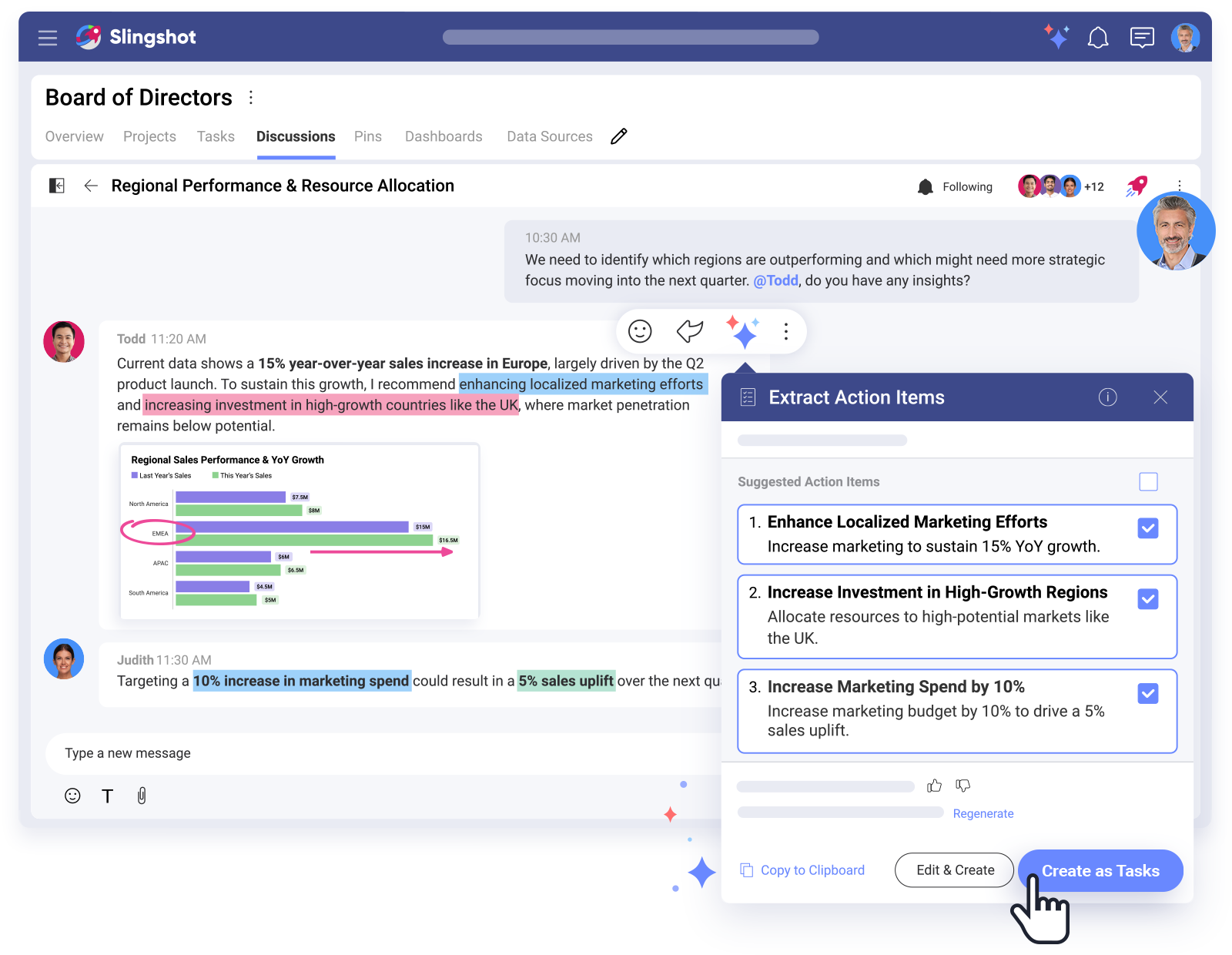

Slingshot gives you more than a board of “to-dos” and timelines. It’s your AI-powered control center where strategy, execution, and data come together.

Slingshot
Notion
 Create your tasks from pre-built templates, saving time in your workflow.

Pre-built templates to kickstart your projects quickly and efficiently, tailored for various use cases.
Plan better in different task views switching based on your workload, type of tasks, or priorities.
Gain insights into task completion, ownership, priority, and dependencies at a glance.
Every task in Slingshot has a built-in chat where everyone involved can quickly update each other in context.
Automate repetitive tasks and workflows to save time and reduce manual effort.
Add personalized fields to your tasks and projects to track specific information and enhance customization.
Define different task categories to organize and manage your workload more effectively.
Find insights easier by bringing insights from multiple real-time data sources directly into your work app.
Visualize your raw real-time data in dashboards to easily see every metric and understand it more deeply.

Create ready-to-use dashboards with a few clicks choosing from a collection of templates suited for every department.
Send in chat or start a task from any dashboard with one click; export, annotate, and discuss action items without switching between apps.
Send in chat or start a task from any dashboard with one click; export, annotate, and discuss action items without switching between apps.
Your data is categorized, easily searchable per department, and organized in dashboards for quick analysis, sharing, and decision-making.
Easily organize, share, pin, and access files and documents with your team in the same place where collaboration happens.
Bring all your assets, briefs, resources, and documents together into structured, contextual views.

Start a chat or create a task from any file with one click, to keep the workflow going and keep everything in one place.
Collaborate with your team in the same app you track and manage your projects.
Have conversations in a personal chat or a group one with multiple users.
Format your messages by bolding, underlining, using bullets, indenting, and more, making them easier to grasp and understand.
Why pay extra for multiple tools? Slingshot offers full-featured collaboration, project management, and data analytics with a single, predictable subscription.


Built-in, manage multiple projects seamlessly
Integrated with chat and tasks
In-context chat, discussions, 1:1 & group messaging
Built-in dashboards and BI with custom reports
vs
Notion
$10.00 montly price for Plus Plan
Features for project planning and executing.
Limited
 Pages, embeds, databases
Example: Slack Business+
+$15.00 per user per month
Example: Power BI Pro
+$10.00 per user per month
$35.00
/ monthly
*If you pay for the additional tools you need.
Why pay extra for multiple tools? Slingshot offers full-featured collaboration, project management, and data analytics with a single, predictable subscription.
Built-in, manage multiple projects seamlessly
Integrated with chat and tasks
In-context chat, discussions, 1:1 & group messaging
Built-in dashboards and BI with custom reports
vs
$10.00
monthly price for Plus Plan
$35.00
/ monthly
*If you pay for the additional tools you need.
Features for project planning and executing.
Limited
Pages, embeds, databases
Example: Slack Business+
+$15.00 per user per month
Example: Power BI Pro
+$10.00 per user per month
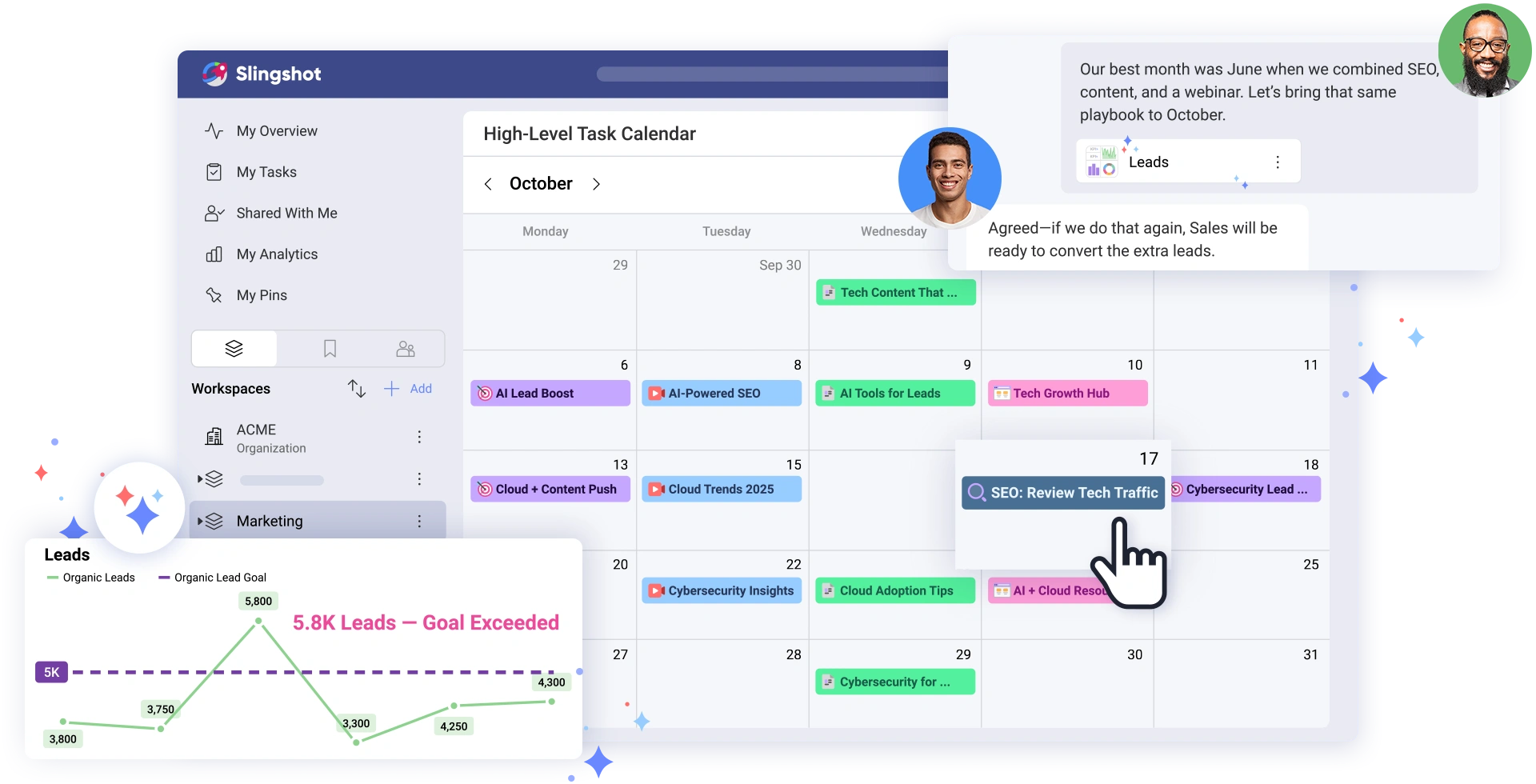

Replace Notion, Slack, PowerBI, and more with a single platform for tasks, chat, analytics, and dashboards.

Unite marketing, sales, operations, and leadership with shared data and processes.

Go from reactive to proactive, powered by built-in AI insights trained on your team’s real data.

Less tool-switching means faster decisions and launches.

Notion does not offer built-in, AI-powered analytics. With Slingshot, get instant business insights without third-party tools or waiting for analysts.

Discussions in Notion can lose context across comments, docs, and external apps. Slingshot links every chat and insight to tasks, dashboards, and projects, preserving clarity.

Large Notion workspaces can slow down. Slingshot is engineered for high performance, even for complex teams and dashboards.

Notion makes reporting an afterthought. With Slingshot, live dashboards and actionable insights are core features.

The Leadership Wake-Up Call That Inspired A Digital Workplace
“Imagine if Asana, Slack, Tableau and maybe your cloud file storage were combined into a single platform. This is Slingshot–a place for in-person and remote teams to collaborate, use data visualizations to understand performance, set goals, share content, and communicate within the context of the projects they are working on.”