





AI & LLM Traffic Dashboard Template
Stop reporting on the past. Monitor marketing performance, pipeline contribution, and campaign impact in a single, unified dashboard linked directly to your team’s daily tasks and execution workflows.
This Marketing KPI Dashboard Template helps marketing teams track the metrics that matter, without rebuilding reports, switching tools, or stitching spreadsheets together every week.
-

Track ChatGPT referral traffic, Perplexity, Claude & more
-
See which AI platforms drive visitors to your site
-
Monitor LLM traffic trends over time
-
Prove AI impact with live GA4 dashboards

Why Marketing Teams Use This Template
Platforms like ChatGPT, Perplexity, and other LLMs are driving significant traffic to websites, which means:
-
People are arriving with a clearer idea of what they want
-
Sessions often start deeper on your site
-
What drives them here is different from a typical search
-
Growth patterns look unfamiliar in GA4
Most tools track this properly. Our template helps you track, see, and report AI-driven website traffic using their existing GA4 data. It connects to your GA4 and automatically segments AI traffic by source, landing page, and performance.
What is AI traffic and LLM traffic?
AI traffic includes visits driven or influenced by artificial intelligence systems that shape how users discover content. This includes direct traffic from AI tools, clicks from AI answers, and when AI recommends your site.
LLM traffic is a focused segment of AI traffic that includes visits from large language models that recommend links and guide users.
Common LLM sources include:
- ChatGPT
- Gemini
- Claude
- Perplexity
Tracking traffic LLM sources separately shows which models drive visits and how that behavior changes over time.
Built for the Way SEO, Growth, and Agency Teams Work
Traditional search still matters; however, people ask ChatGPT for product recommendations, use Perplexity to research solutions, and rely on Claude for content summaries. You need to track when these tools point to your site.
Most AI referral traffic gets lumped into “Direct” or misattributed because GA4 wasn’t built to segment LLM sources. That means you’re missing out on a fast-growing area.
With our template, you can:
- Track AI traffic from many sources
- See which landing pages get the most LLM referral traffic
- Monitor traffic LLM trends over time with pre-built charts
- Compare AI visitor activity to other channels
- Report on emerging channels before leadership asks
You can customize the dashboard based on your marketing model — SaaS, B2B, B2C, or growth-focused teams.
What’s Included in the Template
Built with input from SEO teams, growth marketers, and analytics specialists, this isn’t just another GA4 dashboard. It’s a complete system for tracking the fastest-growing discovery channel.
AI Traffic Overview
See high-level AI performance at a glance:
- Total sessions and users from AI traffic over time
- Trendlines by date range so you can monitor growth and volatility
- Comparisons between AI traffic and other channels
LLM Traffic Breakdown
Know which models drive engagement:
- LLM traffic by source
- Separate reporting for ChatGPT
- See which platforms are growing fastest
Landing pages for each LLM source
Identify which URLs LLMs send traffic to:
- Top landing pages from each LLM
- Engagement metrics by landing page
- Understand what content attracts AI-search
AI referral traffic details
See a clear breakdown of AI referral traffic without building custom explorations:
- Source and medium detail for known AI domains and referrers
- Filterable tables to separate AI referral traffic from standard referrals and campaigns.
AI and LLM traffic trends
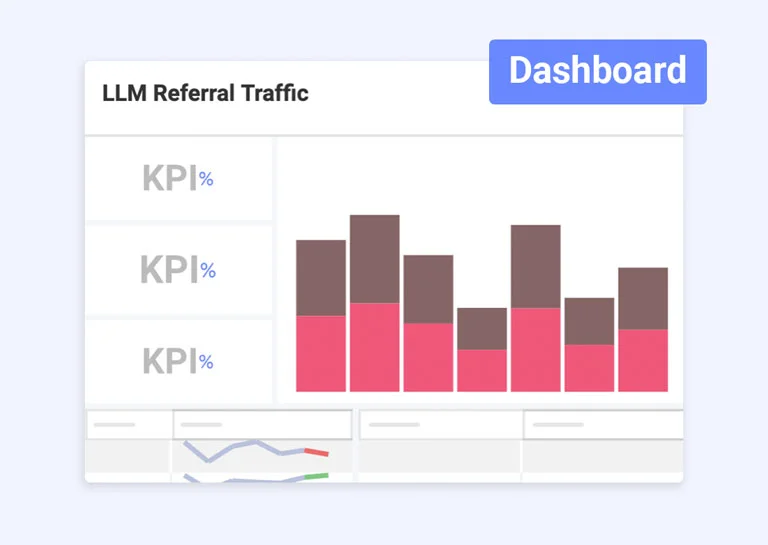
Visual charts to show how AI and LLM change over time:
- Week-over-week and month-over-month AI traffic growth
- Trendlines for individual LLM sources
AI and LLM traffic trends
Simplify, speed up, and make AI and LLM traffic analysis actionable for your teams by solving five common problems:
You Can’t See AI Traffic in Standard Reports: Most AI referral traffic appears as “Direct” or is misattributed because GA4 doesn’t segment LLM sources. This template categorizes it automatically.
You Miss Growth Opportunities: If you can’t measure it, you can’t optimize it. See which content performs well with AI audiences and double down on what works.
Leadership Wants Proof AI Matters: Executives and clients ask, “Should we optimize for ChatGPT?” This dashboard gives you the data to answer with confidence.
You’re Tracking Manually in Spreadsheets: Pulling numbers from GA4, building pivot tables, and creating charts takes hours. Slingshot updates everything automatically.
New AI Platforms Launch Constantly: SearchGPT just launched. Perplexity added new features. The template makes it easy to add emerging LLM sources for traffic as they appear.
Who This Template Helps
The AI & LLM Traffic Dashboard Template is built for teams that need clear insight into AI-influenced discovery.
-
Marketing agencies that want to show clients how AI tools contribute to traffic, engagement, and conversions.
-
SEO and content teams that need to see which pages LLMs cite and recommend, and how those pages perform.
-
Growth teams that track new acquisition channels and test AI-focused initiatives.
-
Analytics leaders responsible for attribution, channel performance, and executive reporting.
How Slingshot Makes AI Traffic Analysis Easier
Slingshot uses your GA4 data while removing the manual work that usually comes with tracking AI- and LLM-based referrals. Slingshot handles segmentation and visualization automatically.
- No regex expressions to write for every new AI domain.
- No custom channel groups to maintain as ChatGPT, Gemini, Perplexity, and other tools evolve.
- No exporting data to spreadsheets to build custom AI traffic reports.
Instead, the template automatically segments AI and LLM traffic for you, visualizes key metrics, and keeps everything up to date as your data changes.
Real Use Cases
This marketing KPI dashboard template includes:
Agency Reporting
Show clients how ChatGPT referral traffic and other LLM sources contribute to performance.
SEO and Content Strategy
Identify which pages attract LLM traffic and adjust content priorities.
Growth and Experimentation
Monitor early AI traffic signals before they appear in other channels.
Executive Reporting
Give leadership a clear view of AI-driven discovery trends.
Frequently Asked Questions
A marketing KPI dashboard template is a pre-configured dashboard that tracks key marketing metrics including traffic, leads, pipeline, and revenue contribution, in a single centralized view.
A strong marketing dashboard should include website traffic, conversion rates, MQLs, SQLs, pipeline influenced, revenue generated, CAC, and channel-level performance. These metrics support a unified marketing reporting strategy focused on revenue accountability and performance visibility.
Traditionally, teams pull data from analytics tools and CRMs into spreadsheets or BI platforms. This template eliminates that manual process by providing a pre-built marketing KPI reporting dashboard that connects directly to your data sources.
Yes. The template integrates with Google Analytics (GA4) and can also connect to CRM platforms and paid media data sources, providing a unified view of marketing performance. It supports real-time reporting tied directly to your campaign and pipeline reporting workflows.
Yes. You can modify KPIs, filters, date ranges, and visualizations to align with your marketing goals and reporting needs.
Most dashboard tools visualize performance but stop at reporting.
Slingshot connects marketing analytics dashboards to campaign execution, task tracking, and team collaboration — so insights lead to action.
Boost Team Results with Ready-to-Use Templates
Explore our collection of ready-to-use templates, carefully crafted to cater to the needs of multiple use cases and departments. Save time and effort by trying out the template that suits your workflow best. It only takes a few clicks to get started.
Ready to Track AI & LLM Traffic?
Use this template and see which AI platforms send visitors to your site, which content resonates with LLM users, and how this channel stacks up against your other sources.
Use Template Use Template Use Template